> For the complete documentation index, see [llms.txt](https://docs.kasko.io/product-builder-manual/llms.txt). Markdown versions of documentation pages are available by appending `.md` to page URLs; this page is available as [Markdown](https://docs.kasko.io/product-builder-manual/product-features/abandoned-cart.md).
# Abandoned Cart
Allows you to re-engage with potential customers by sending a reminder email x period after the customers stopped the quote-offer-bind process.
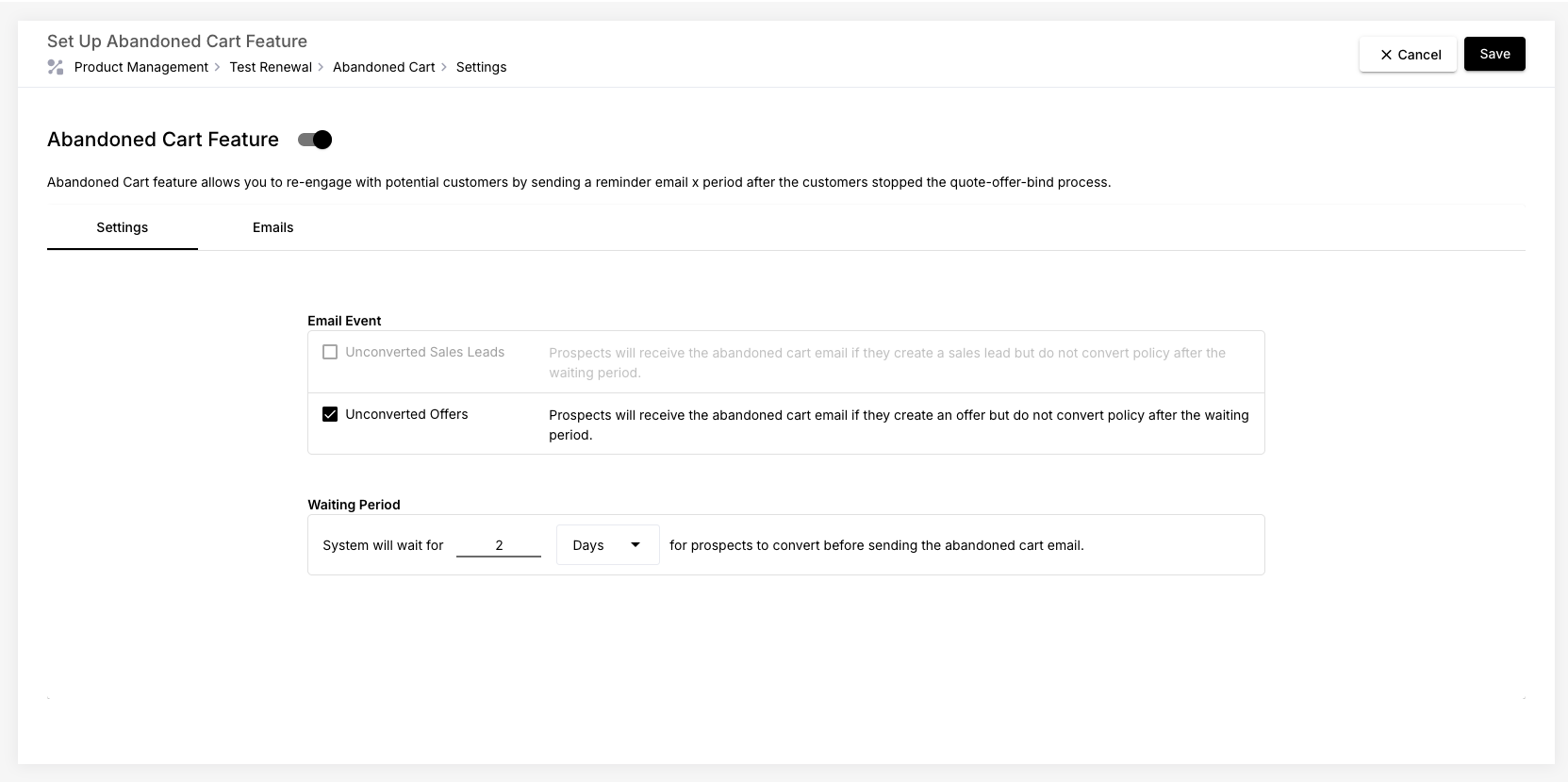
The Abandoned Cart feature helps you re-engage potential customers who start—but do not complete—the policy purchase process on your platform.
When enabled, the system automatically sends reminder emails to prospects who have stopped progressing after a waiting period that you define.
This feature increases conversion rates by nudging users back into the buying journey.
### When the Abandoned Cart Emails Are Sent
There are two types of events that can trigger abandoned cart emails:
#### 1. Unconverted Sales Leads
This email is sent when:
* A prospect creates a sales lead, but
* Does not convert it into a policy within the waiting period you set.
#### 2. Unconverted Offers
This email is sent when:
* A prospect creates an offer, but
* Does not convert the offer into a policy within the waiting period.
Each event type can have its own email template and its own waiting period.
### Configuring the Waiting Period
You decide how long the system should wait before sending the abandoned cart email.
You can set:
* A number of days, *or*
* A number of hours
During this period, the system waits to see if the prospect converts on their own.
Once the waiting period expires, the reminder email is automatically triggered.
### Setting Up Abandoned Cart Emails
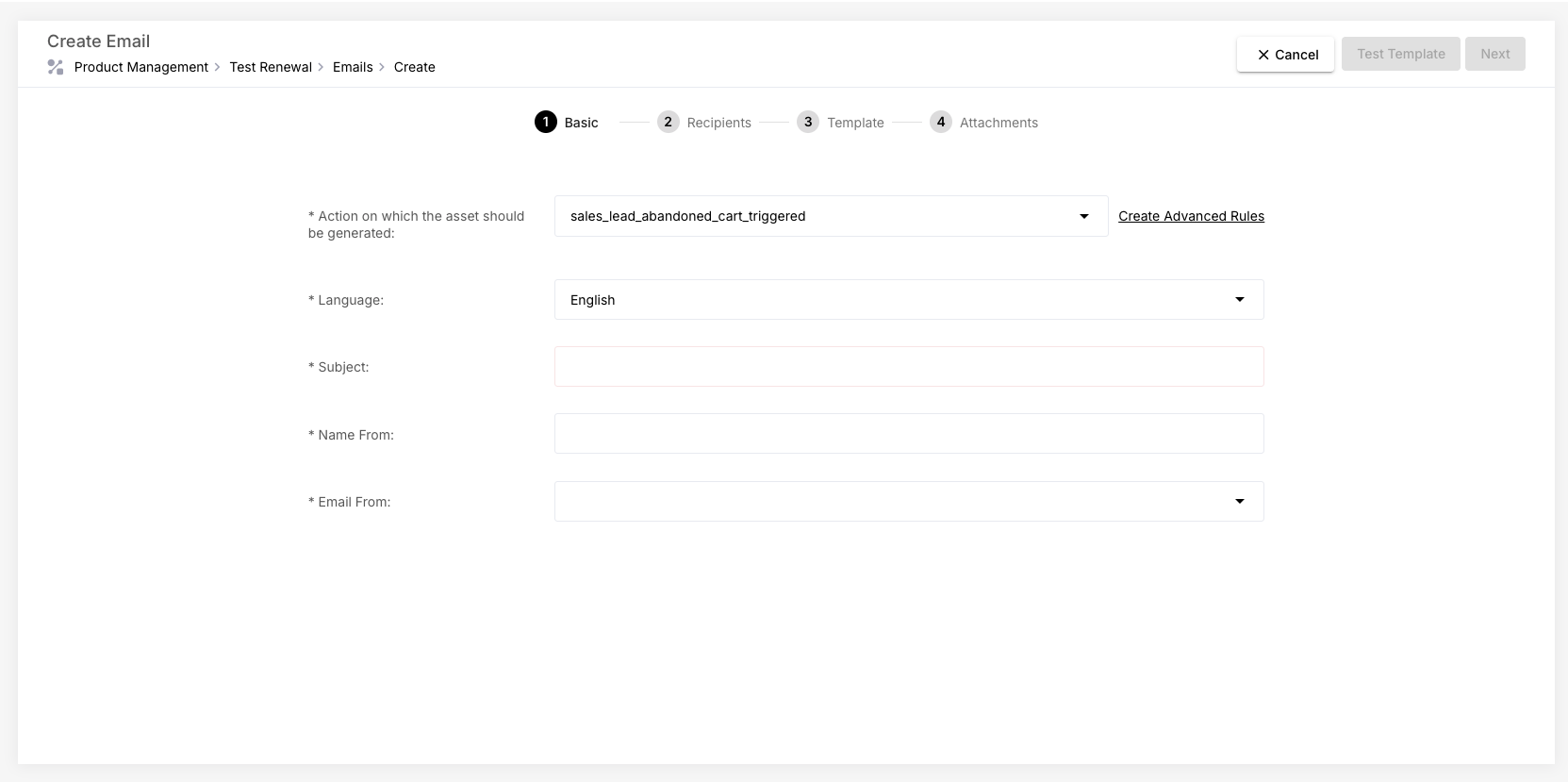
#### 1. Prepare Your Email Templates
Before selecting emails inside the abandoned cart settings, you must configure them in Email Settings.
For guidance on setting up emails, visit the [Emails](/product-builder-manual/fundamentals/create-your-first-product/emails.md) page.
#### 2. Configure Abandoned Cart Rules
Once your email templates exist, you can assign them to the Abandoned Cart feature:
1. Navigate to the Abandoned Cart configuration page.
2. Choose which email template to use for:
* Unconverted Sales Leads
* Unconverted Offers
3. Set the waiting period (hours or days).
4. Save your configuration.